Two Machine Workflow with Syncthing
How I split work between my daily driver and a homelab server using Syncthing for real-time file sync.
Two Machine Workflow with Syncthing
I have two machines:
- Omarchy - Arch Linux daily driver. Ricing, editing, browsing.
- Ubuntu-homelab - Server running dev servers, deployments, heavier tasks.
The problem: I edit code on omarchy but want to run dev servers on the homelab so my daily driver stays snappy. Needed a way to keep files in sync between them.
Why Syncthing
Syncthing does bidirectional real-time sync. Edit a file on one machine, it shows up on the other within seconds. No manual push/pull, no git commits for every tiny change.
It's peer-to-peer over my Tailscale network, so no third-party servers involved.
What I Sync
Three folders:
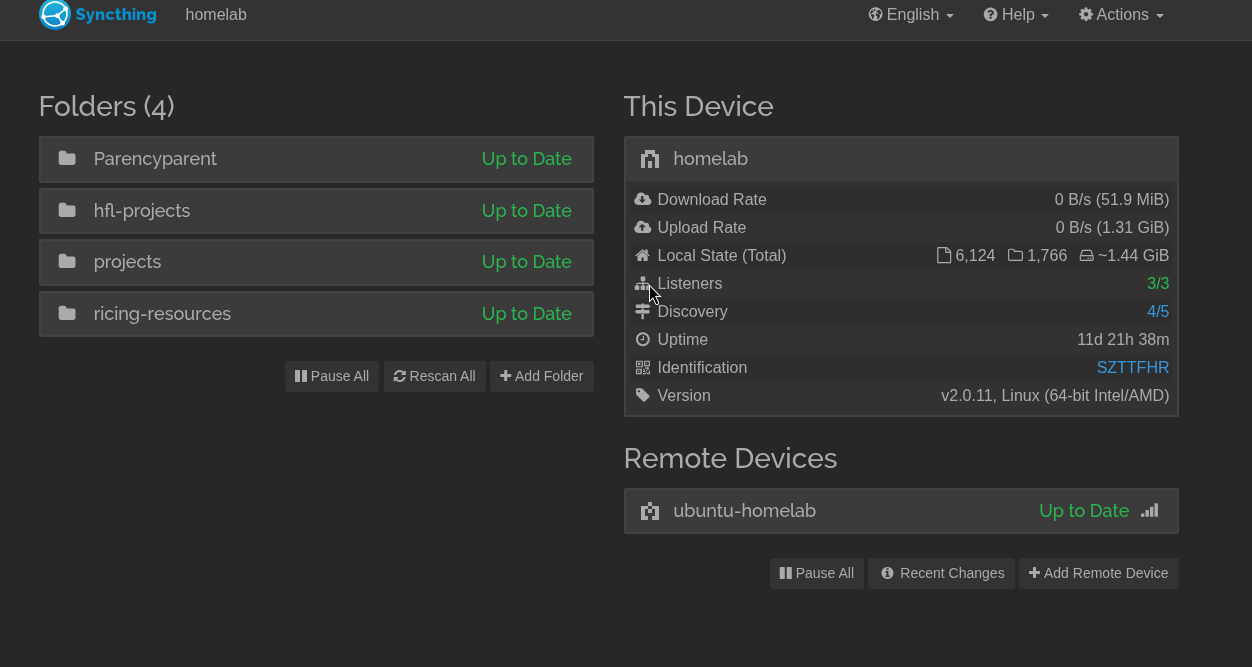
~/projects/- personal projects~/hfl-projects/- client work~/ricing-resources/- wallpapers, fonts, theme assets
Everything else stays local to each machine.
How It Works Day-to-Day
- Edit code on omarchy
- Syncthing syncs to homelab instantly
- Run dev server on homelab via SSH
- Access at
http://ubuntu-homelab:3000
I wrote a small script called remote-dev that handles the SSH + port binding so I don't have to remember the commands.
remote-dev start ~/projects/myapp 3000
remote-dev stop 3000
remote-dev logs 3000
Setup
Install syncthing on both machines:
# Arch
sudo pacman -S syncthing

# Ubuntu
sudo apt install syncthing
Start it:
systemctl --user enable --now syncthing
Web UI at http://localhost:8384. Add the other machine as a remote device, then share folders.
Gotchas
- Conflict files: If you edit the same file on both machines before sync completes, you get
.sync-conflictfiles. Rarely happens but worth knowing. - Ignore patterns: Add
.gitto ignore patterns so git repos don't get weird. Also ignorenode_modules,.next, etc. - Initial sync: First sync of a large folder takes a while. After that it's fast.
Why Not Just Git
Git is for version control, not real-time sync. I still use git for commits and pushing to GitHub. Syncthing just keeps the working directory in sync between machines so I can edit here and run there.
Links: