Raspy Week Two: Modes, Music, and a Mascot
Last week Raspy was a voice assistant. This week it's a clock, an MP3 player, and a pomodoro timer too.
Raspy Week Two: Modes, Music, and a Mascot
Last week I introduced Raspy - an ESP32 voice assistant that talks to Claude through my homelab. Push a button, talk, get a response. That was the whole thing.
One week later it does a lot more.
It Has a Menu Now
The original Raspy had one extra mode: camera. Triple-tap to enter, tap to exit. That was it.
Now there's a proper menu system. Single tap the BOOT button and you get a list of modes. Tap to scroll, press the external button (a keyboard switch wired to a GPIO) to select. Two buttons total - one for navigation, one for action.
The modes I've added:
Clock
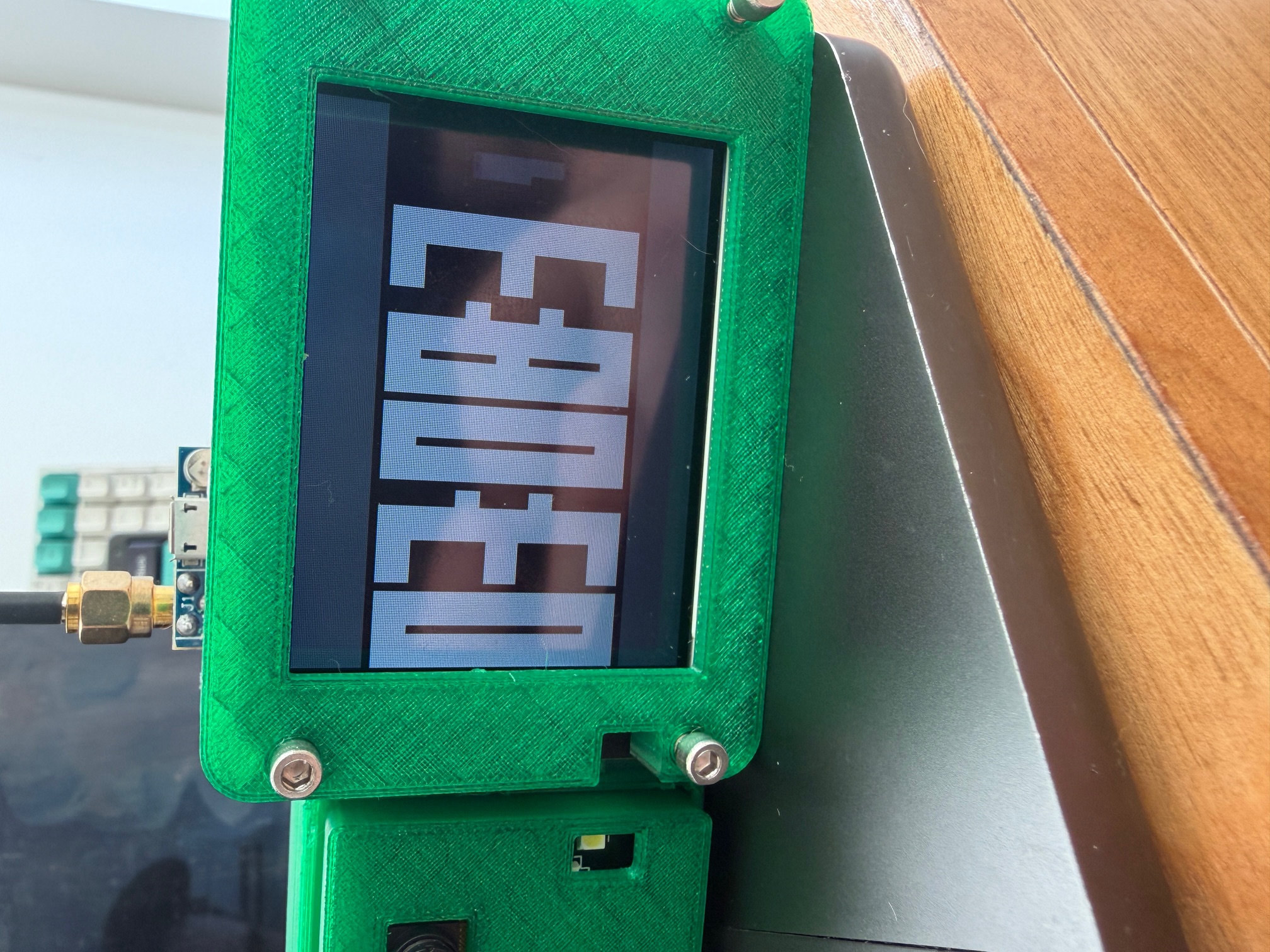
A retro LED matrix clock. It renders a virtual 64x32 grid of LED dots on the TFT, displaying the time in big 7-segment digits. When a digit changes, it morphs smoothly between values instead of snapping. The whole thing runs at 30fps and uses the current theme colors.
I built this to use as a desk clock when I'm not talking to Raspy.
Music Player
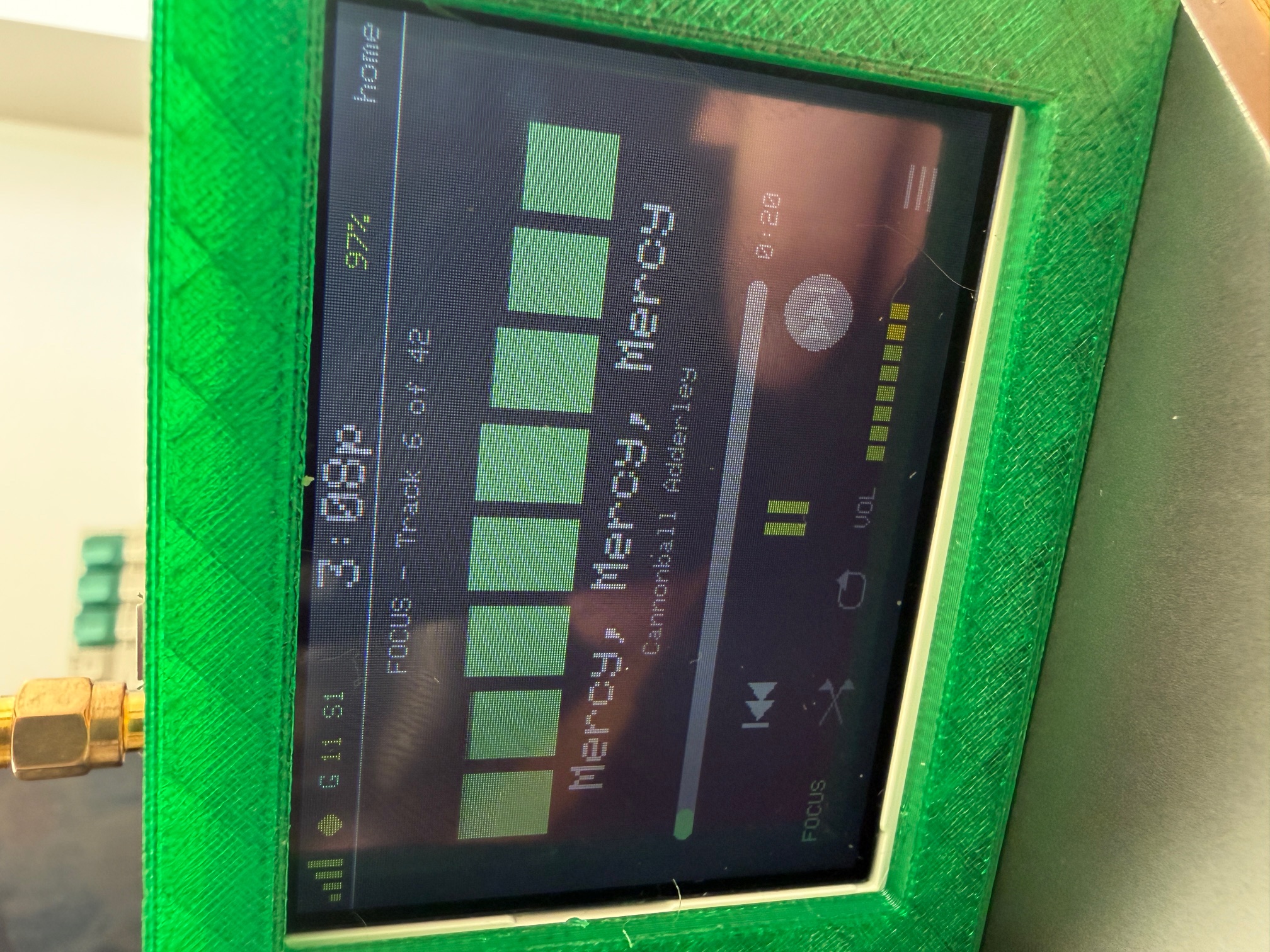
A full MP3 player that reads from the SD card. Track name scrolls as a marquee, there's a progress bar, and an 8-bar EQ visualizer that does real-time FFT on the audio output. Shuffle, repeat, volume control, folder browsing - tap to cycle focus through controls, press the external button to activate.
It remembers where you left off between power cycles.
Pomodoro Timer
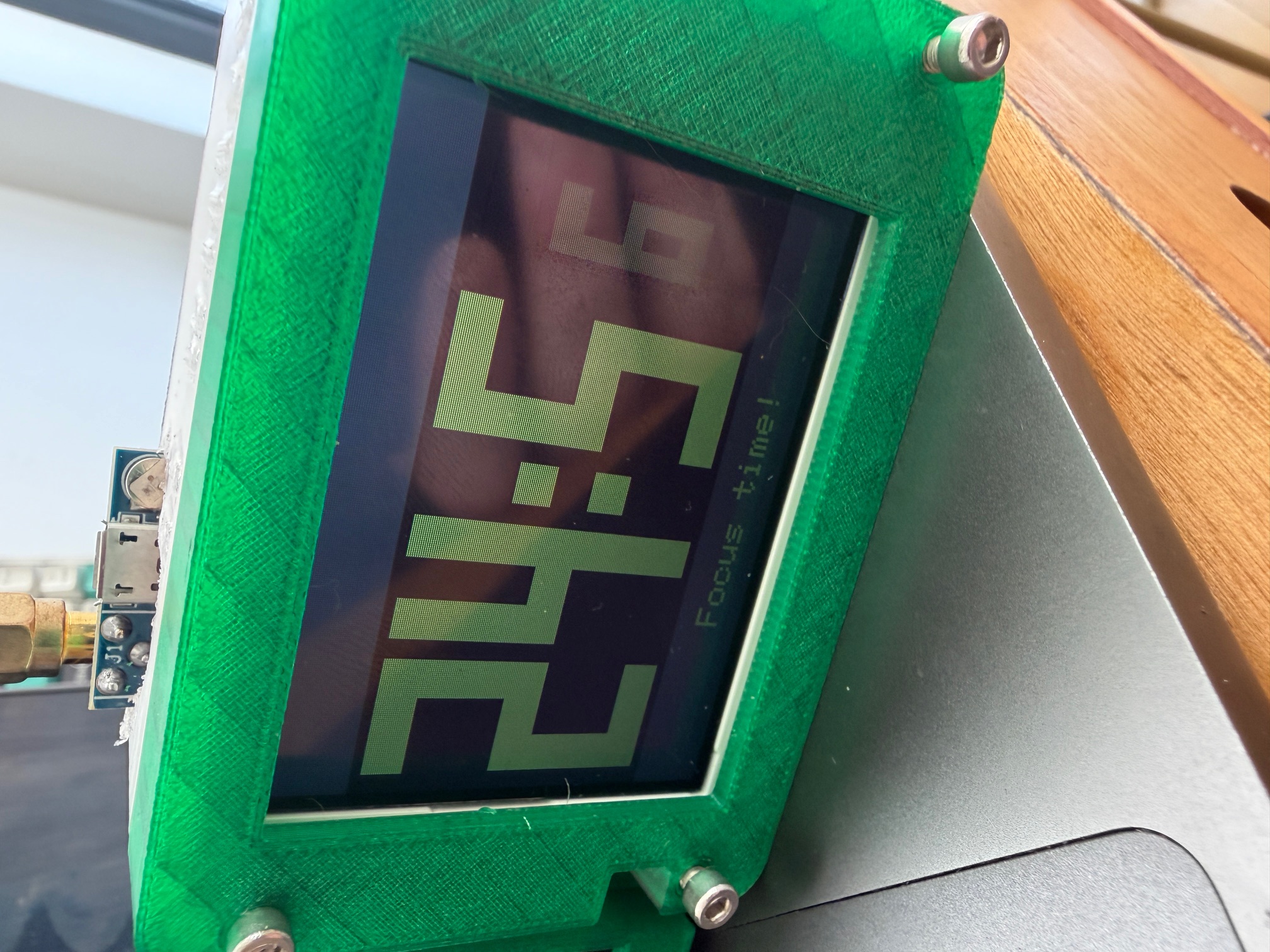
Tap to cycle between 5, 10, and 25 minute presets. Hold to start. Big morphing 7-segment digits count down, changing color as time runs out - green, then yellow, then red in the last minute. When it hits zero, triple beep and the display flashes.
Simple. Wanted a physical timer on the desk instead of a phone app.
Clawd
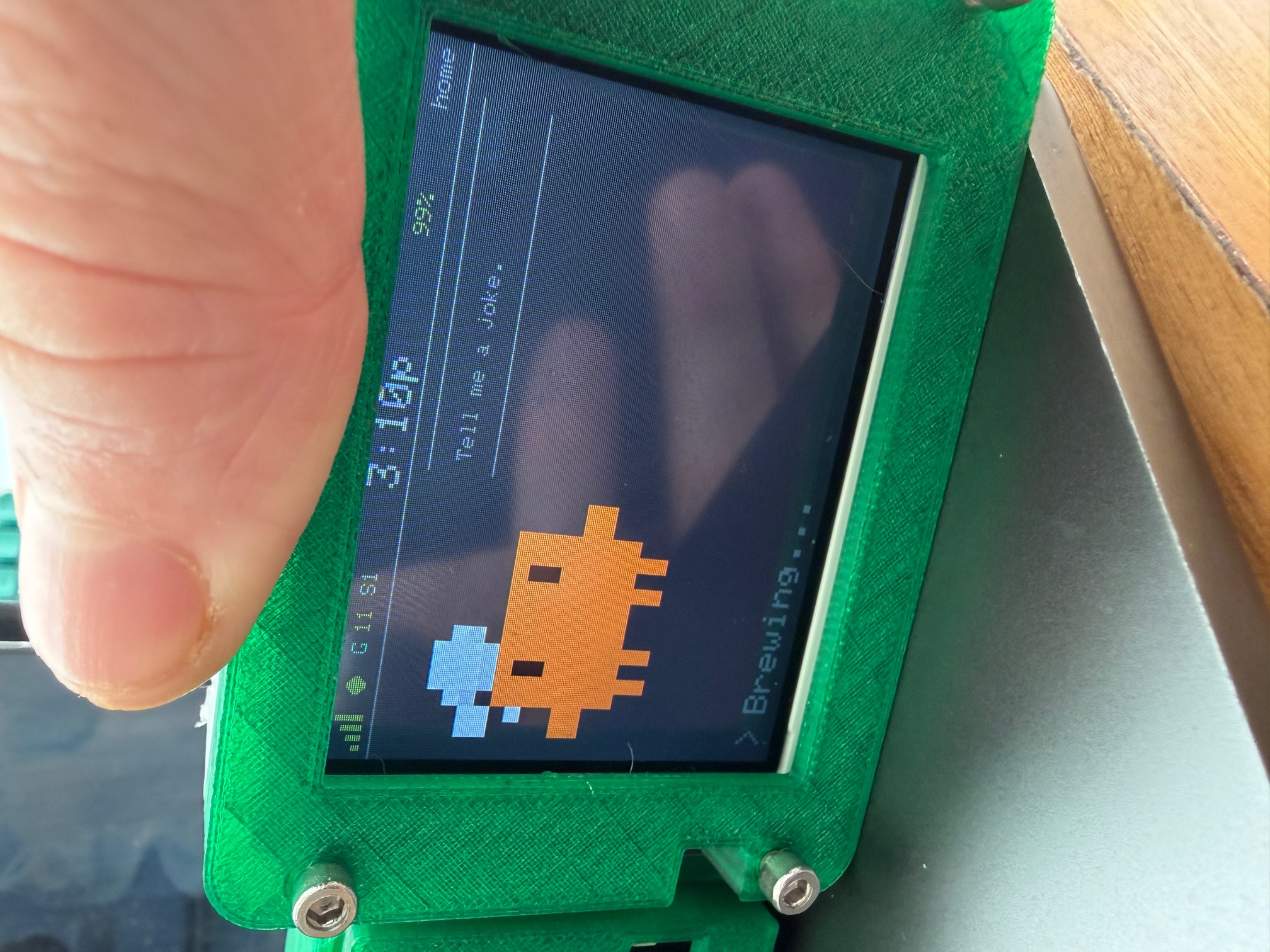
Raspy has a mascot now. Clawd is a little crab (16x16 pixel art, scaled up to 128x128) that lives on the left side of the display during voice mode. I drew the sprites by hand in Piskel -- first time doing pixel art. He has six poses that change based on what the device is doing: idle, listening, thinking, working, speaking, and error. Each pose can have multiple animation frames that loop at 10fps.
Deeper Claude Integration
The voice pipeline from last week still works the same way - record, send, transcribe, think, speak. But the display now shows a lot more about what's happening behind the scenes.
Tool Animations
When Claude uses tools (reading files, searching the web, running commands), Raspy shows which tool is running with a symbol and name, a description of what it's doing, and an elapsed time counter. Clawd switches to his working pose.
Sessions
Raspy now tracks conversation sessions. The status bar shows which session you're on (S1, S2, etc.). Double-tap to start a fresh conversation. A session browser mode lets you scroll through previous conversations on the device.
Auto-Scrolling Text
This one bugged me. Claude would give a long answer and Raspy would read the whole thing aloud, but the display only showed the first 10 lines. The rest was cut off.
Now the full response gets pre-wrapped into lines. During TTS playback, the text auto-scrolls at about one line every 1.5 seconds - roughly matching reading pace. A small line counter in the corner shows where you are (like "10/23"). After playback finishes, the text stays at its final position.
Small thing, but it was annoying every time it happened.
What's Different
A week ago Raspy was a voice assistant that happened to have a screen. Now it's more like a small personal device that happens to talk to Claude. Clock, music, timer, camera -- plus the voice stuff from before.
The firmware is around 2000 lines of C++ across a dozen modules now, plus the Python server. Still not open source yet.